



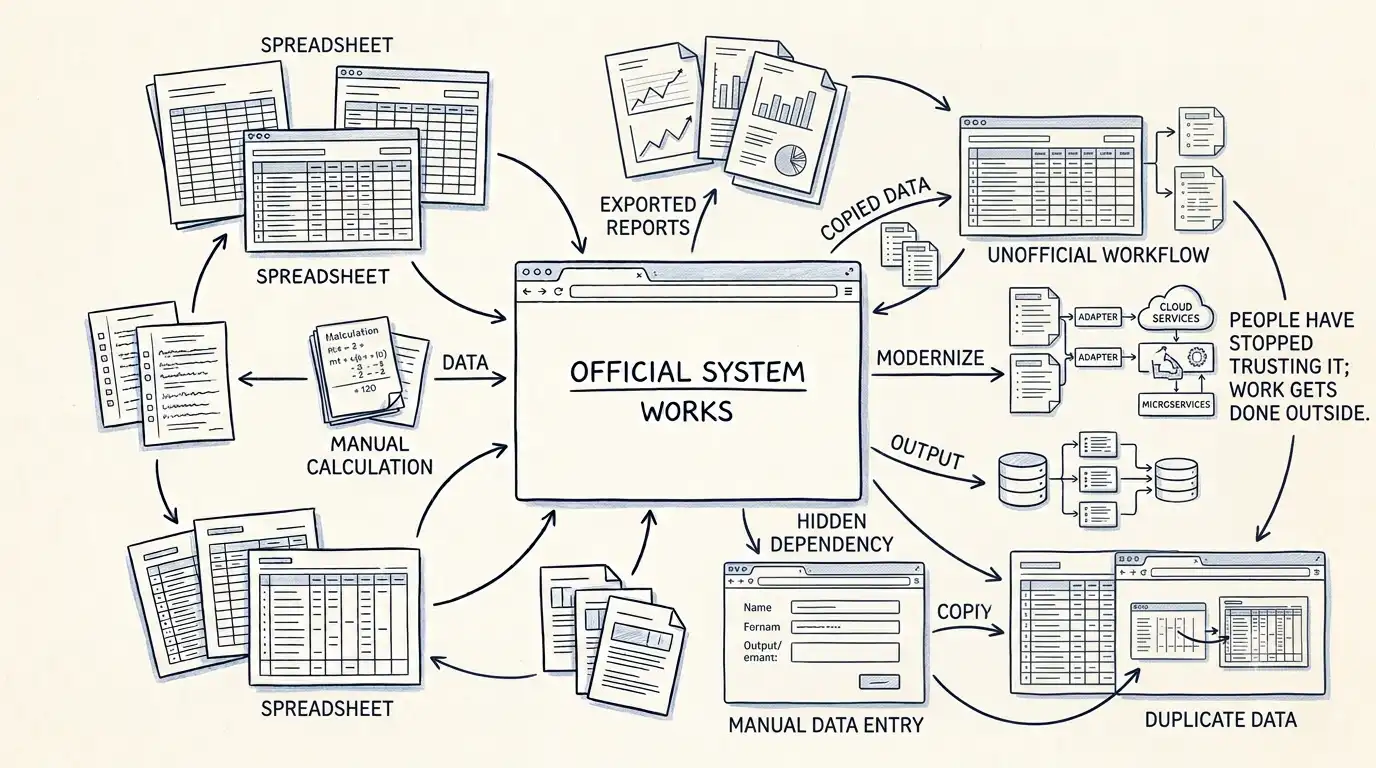

Almost every business has one.
It may not even be Excel.
It could be a Google Sheet, someone's personal database, a collection of CSV files or a folder containing documents with names like:
Final_Final_Updated.xlsx
Everyone knows it exists.
Nobody officially owns it.
And somehow, the business depends on it.
How These Spreadsheets Appear
Usually, nobody decides to build a critical business system in a spreadsheet.
It happens gradually.
The official software doesn't provide a particular report.
So someone creates a spreadsheet.
The spreadsheet becomes useful.
Someone adds another column.
Then another person starts using it.
A formula gets added.
Someone creates a second version.
Eventually, the spreadsheet becomes the easiest way to get something done.
At some point, it becomes more important than the system it was created to support.
The Spreadsheet Isn't Necessarily the Problem
This is important.
Excel is not bad software.
Spreadsheets are extremely useful.
They are flexible, fast and accessible. For many small tasks, they're exactly the right tool.
The problem starts when a spreadsheet becomes a hidden dependency.
For example:
Customer information is maintained there.
Financial calculations happen there.
Operational decisions depend on it.
Employees use it to correct system data.
Management reports depend on formulas nobody fully understands.
Now the business has an unofficial application.
And that application may have no proper ownership, testing, access control or backup process.
The Biggest Risk Is Usually Knowledge
Imagine the employee who created the spreadsheet leaves.
The file remains.
But who understands the formulas?
Who knows why certain values are manually adjusted?
Who knows which columns are safe to change?
Who knows where the source data comes from?
Who knows which report depends on it?
This is how operational risk hides inside ordinary office work.
The company may believe it has one system.
In reality, it has a system plus several unofficial systems built around it.
Don't Immediately Ban the Spreadsheet
The wrong response is:
“We need to eliminate Excel.”
The better response is:
“Why does this spreadsheet exist?”
There is usually a reason.
Perhaps the official software doesn't expose the right information.
Perhaps the workflow is too slow.
Perhaps users need more flexibility than the system provides.
Perhaps the business process changed after the software was built.
The spreadsheet is often evidence of a gap somewhere else.
Find the Gap First
Take the important spreadsheets and trace them back.
Ask:
What problem does this solve?
Who uses it?
Where does the data come from?
What happens if it contains an error?
Is the same information stored somewhere else?
Why isn't the official system doing this?
Could the process be simplified instead?
Sometimes the answer is to improve the existing application.
Sometimes it is to automate the spreadsheet.
Sometimes the spreadsheet should simply remain a spreadsheet.
And sometimes it reveals that the business has outgrown its current software.
That's why we don't start by deleting the spreadsheet.
We start by understanding why somebody needed to create it in the first place.