




Replacing an old system sounds straightforward.
Build the new one.
Move the data.
Switch it on.
Turn the old one off.
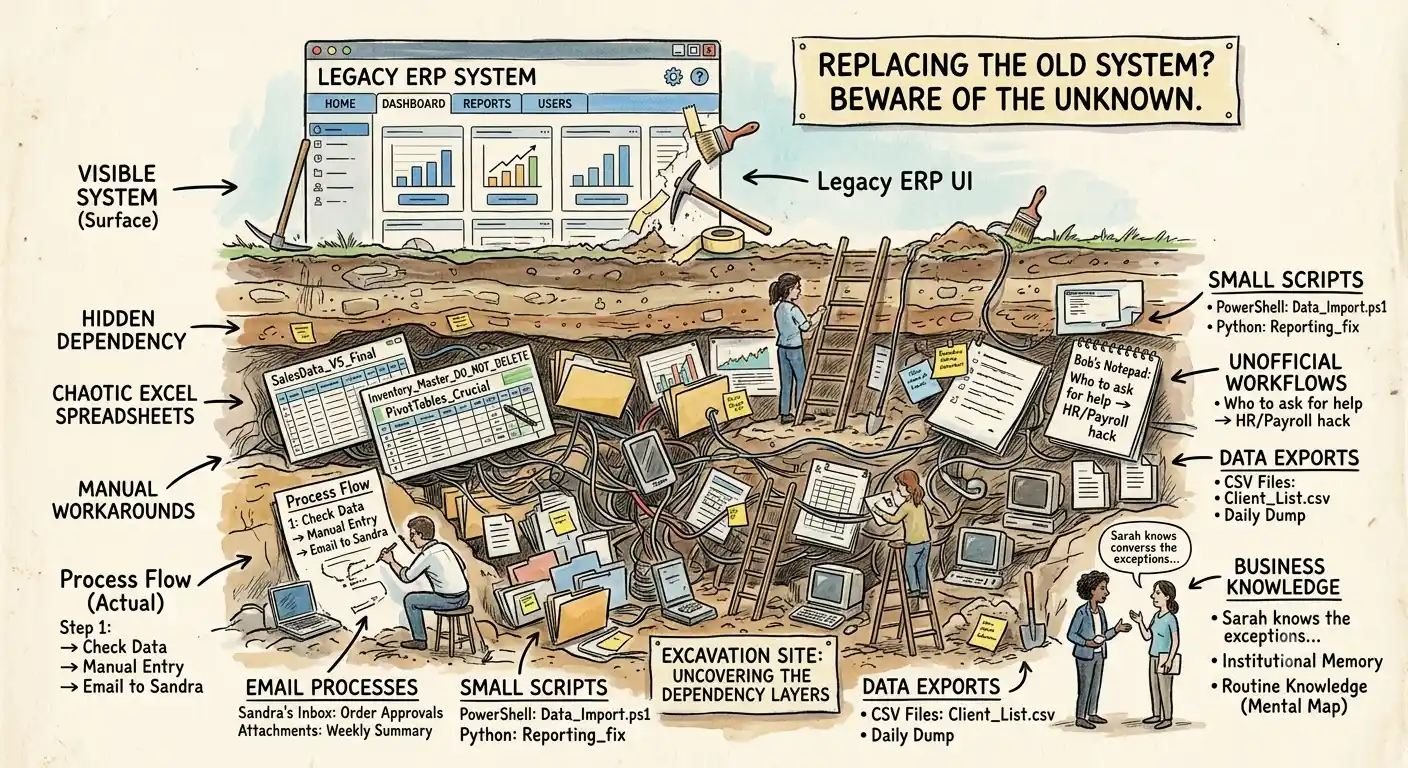
In reality, the difficult part is often discovering everything people have quietly built around the existing system.
The official system is rarely the whole system
A business may officially depend on one application.
But employees may also depend on:
Spreadsheets
Manual reports
Email workflows
Scripts
Exported data
Personal tools
Unofficial integrations
Processes known by only one employee
These dependencies may not appear in the original requirements.
But they still matter.
People create workarounds for a reason
If employees maintain a separate spreadsheet, don't assume they're doing unnecessary work.
Ask why.
Maybe the existing system doesn't provide the report they need.
Maybe it doesn't support a particular workflow.
Maybe the data is difficult to access.
Maybe the workaround is simply faster.
Every workaround tells you something.
Some should disappear in the new system.
Some should become proper features.
Some shouldn't be replaced at all.
Data is only part of the migration
When people talk about replacing software, the conversation often focuses on data migration.
How many records?
What format?
How will they be imported?
Important questions.
But data isn't the only thing being migrated.
You are also migrating business knowledge.
Which rules matter?
Which reports are trusted?
Which fields are actually used?
Which processes depend on particular data?
Which exceptions exist?
Those things can be harder to discover than database tables.
Talk to the people doing the work
Documentation is useful.
But people using the system every day often know things the documentation doesn't.
Ask them:
What do you use the system for?
What do you avoid using?
What do you do outside the system?
What information do you always check?
What breaks most often?
What would cause serious problems if it disappeared?
What would you never want the new system to change?
Those conversations can reveal important requirements.
Don't rebuild everything blindly
A replacement project is a chance to improve things.
It is not a requirement to copy every existing feature.
Some functionality may no longer be needed.
Some workarounds can disappear.
Some processes can be simplified.
But you need to know what you're removing before you remove it.
Otherwise, the business may discover the missing functionality only after the old system has been switched off.
Replacement should start with understanding
Before deciding what the new system should look like, understand what the current system actually means to the business.
The database is one source of information.
The code is another.
The people using the system are often the most important source.
A successful replacement doesn't simply move software from one technology to another.
It carries forward the business knowledge that actually matters.